Features
All your cinema.
Even with no signal.
Every detail of Séance is designed so your films look beautiful, are easy to find and play anywhere — internet or not.
Séance’s interface is in French. Feature names are translated here.
Library
A library that organizes itself.
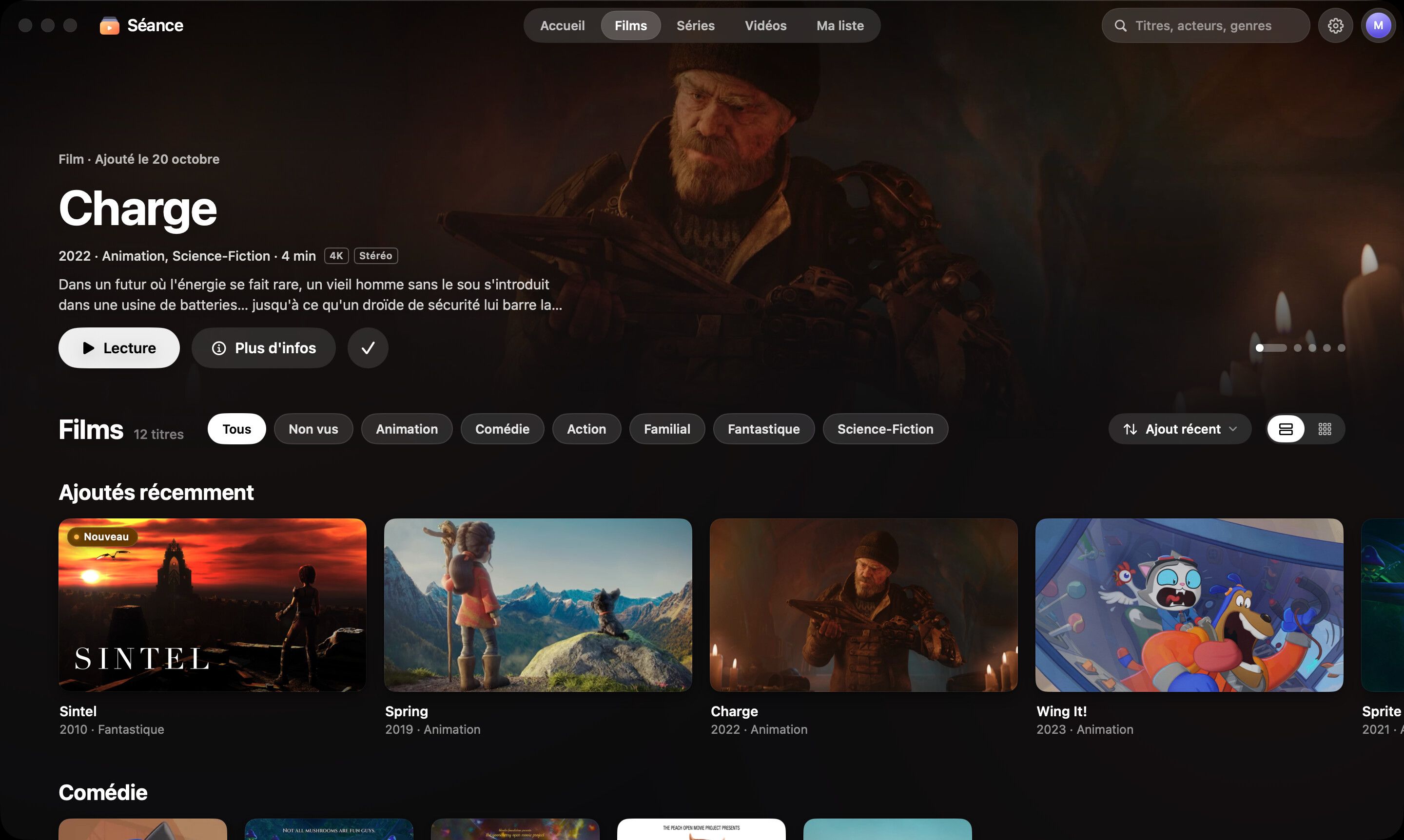
Add a folder or a drive: Séance recognizes every file and dresses it up like a streaming app.
-
All your drives
Your Mac, external SSDs and network shares, each folder with its type (automatic, movies, series or home videos). An unplugged drive stays visible, dimmed, and is rescanned as soon as it’s back.
-
Movies, series, home videos
Seasons, episodes, 4K and 1080p versions, DVD folders — and every YouTube channel folder becomes a series, numbered when the channel is.
-
Each title, once
The same film stored in several places appears once — and Séance plays the copy on your Mac first.
-
Complete information
Posters, text-free backdrops, title logos, synopses, cast and episode thumbnails.
-
Never a grey card
No poster? Séance designs one from a frame of the video, centred on the subject. Black bars and frames are trimmed from images and previews.
-
Fix it in a click
Misidentified title? “Fix identification” sets it right in two clicks.
Playback
A player that plays everything — beautifully.
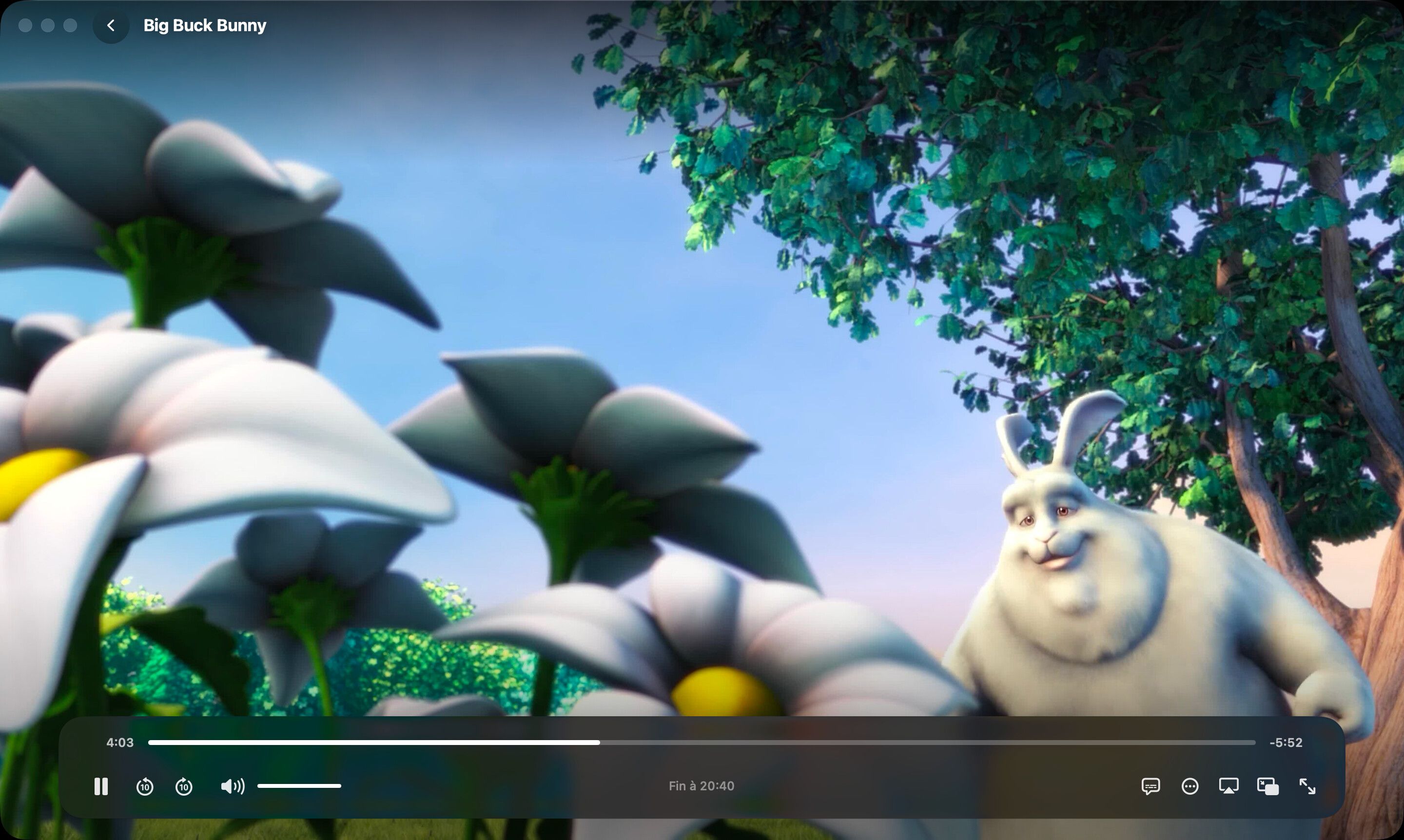
Full screen, glass controls that fade away, exact resume: all that’s left is the film.
-
MKV, AVI, TS and more
MP4 and MOV play directly; MKV, AVI, TS, M2TS, WebM and many more through a built-in, on-the-fly remux.
-
Subtitles & audio tracks
SRT subtitles, embedded or next to the file, multiple audio tracks, adjustable subtitle size.
-
Skip intros and credits
Detected on your Mac, offline, from chapters and the audio fingerprints of episodes.
-
Night mode
Dialogue comes forward, loud sounds are softened. Nobody wakes up.
-
Sleep timer
End of episode, or 15, 30, 45 or 60 minutes: the picture fades out gently, then “Good night”.
-
Picture in Picture & AirPlay
Keep working while you watch, or send compatible videos to your TV with AirPlay.
Discovery
Fall in love with your collection again.
Thousands of files become things you want to watch: ideas for tonight, collections, a page for every actor.
-
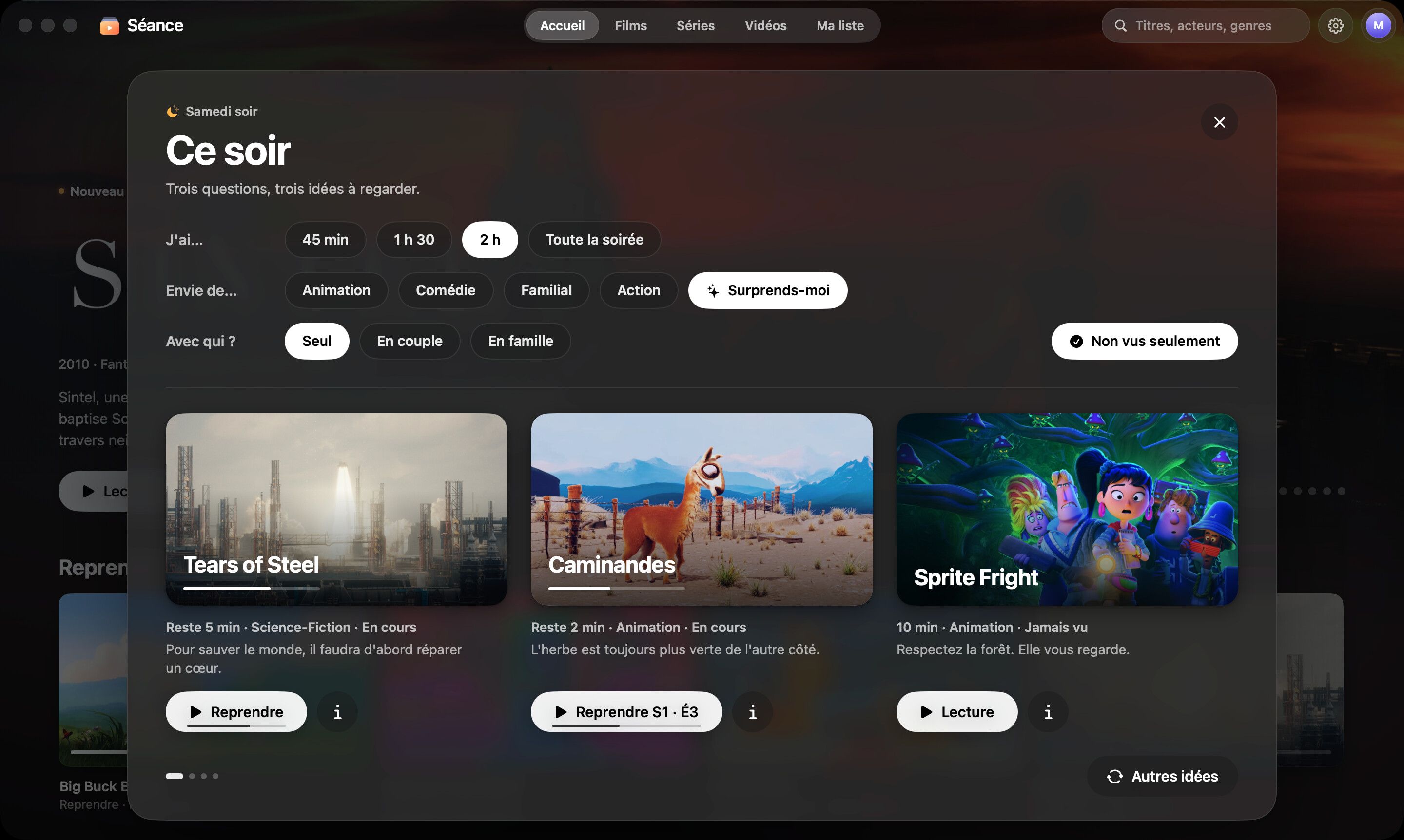
“Tonight”
Three questions — how long, what mood, with whom — and three tailored ideas.
-
Actors and directors
Click a face to open their page: roles and filmography from your library.
-
Automatic collections
Sagas, “Directed by…”, decades, “Under 90 minutes”, finished series and themes.
-
Natural-language search
Type the way you talk. Séance understands natural phrasing (in French).
-
Previews & ambient mode
Video starts muted on a title’s page; after a few idle minutes, Home turns into a slideshow.
-
Up Next & My List
Pick up where you left off, next episode included, and keep what you want to watch close at hand.
Apple Intelligence
Smarter, without telling anyone.
On a compatible Mac, Séance uses the Apple Intelligence model installed on the device. Nothing leaves your Mac.
-
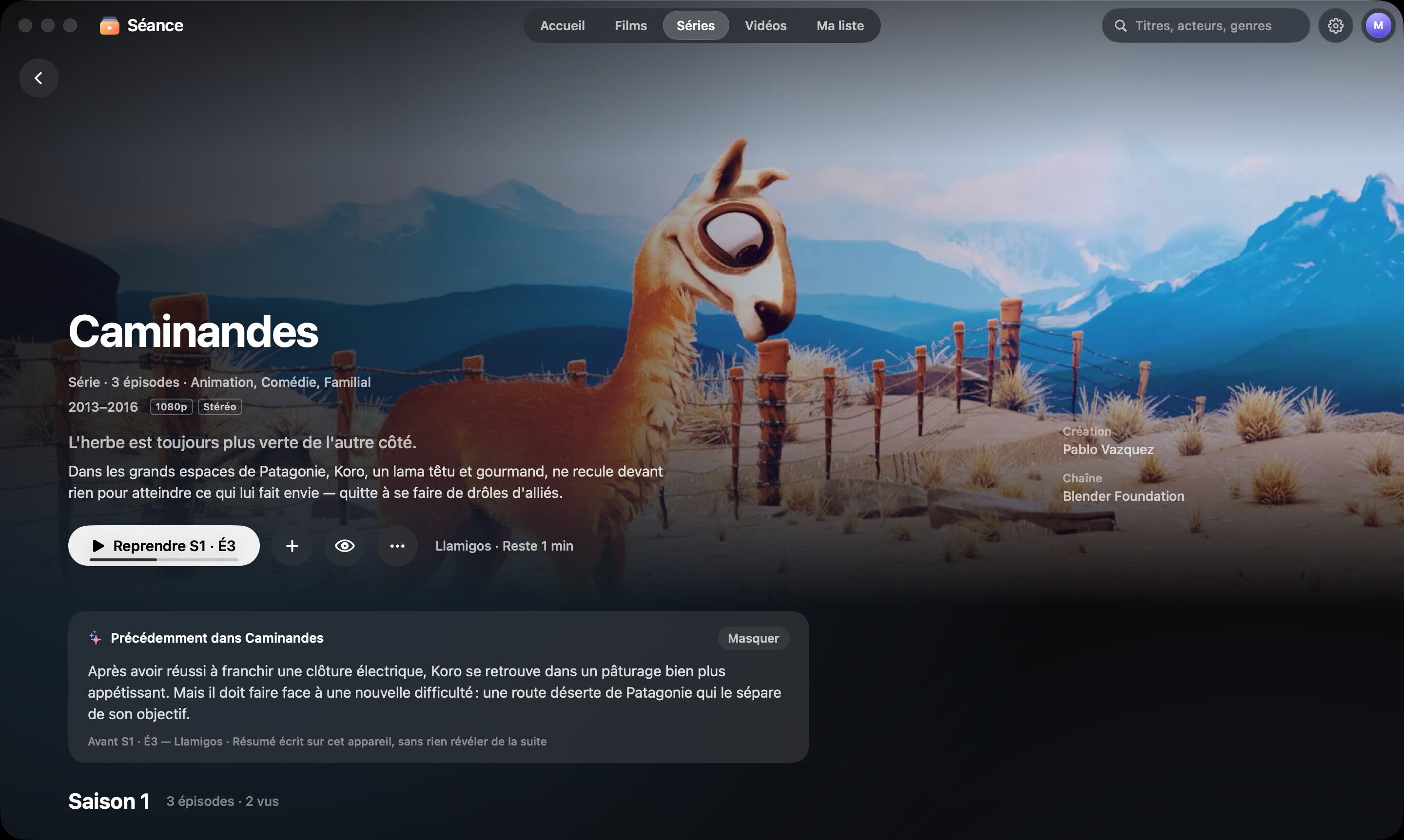
“Previously…”
A recap of what happened before the episode you’re starting, with no spoilers for what comes next.
-
Synopses in French
Synopses only available in English are translated into French on your Mac.
-
Smarter everywhere
Smarter search, pitches for “Tonight”, themed collections, and clean titles from messy file names.
-
On device
No server, no data sent. Not turned on yet? Séance invites you to turn it on — and without it, Séance is still complete.
Family
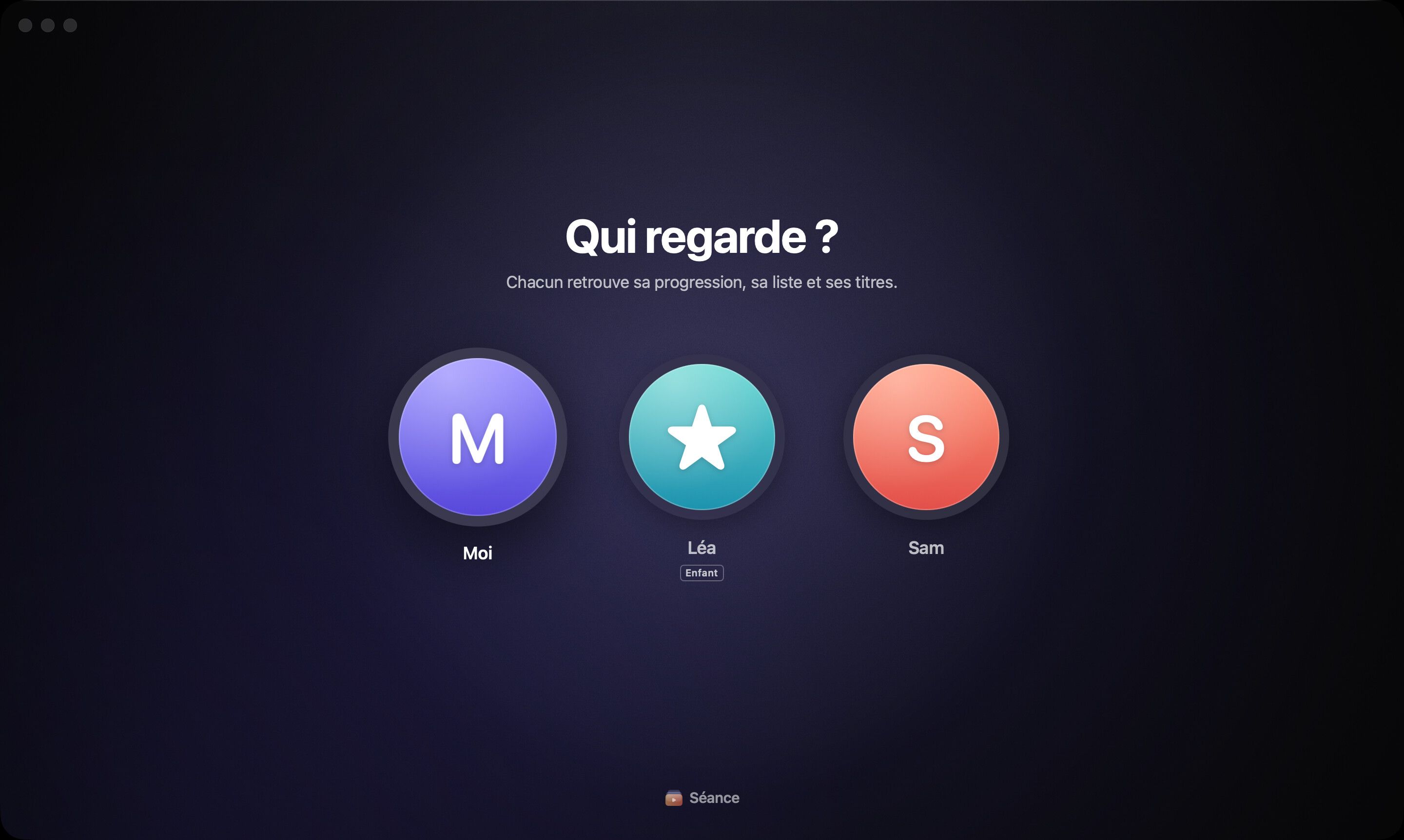
Who’s watching?
Everyone gets a profile, with their own progress and list. Kids get theirs, worry-free.
-
Household profiles
“Who’s watching?” at launch, then a glass avatar to switch profiles anytime.
-
Kids mode
Only children’s titles, and no access to settings.
-
Everyone’s own
Progress, Up Next and My List are kept per profile.
Files
Your files, finally in order.
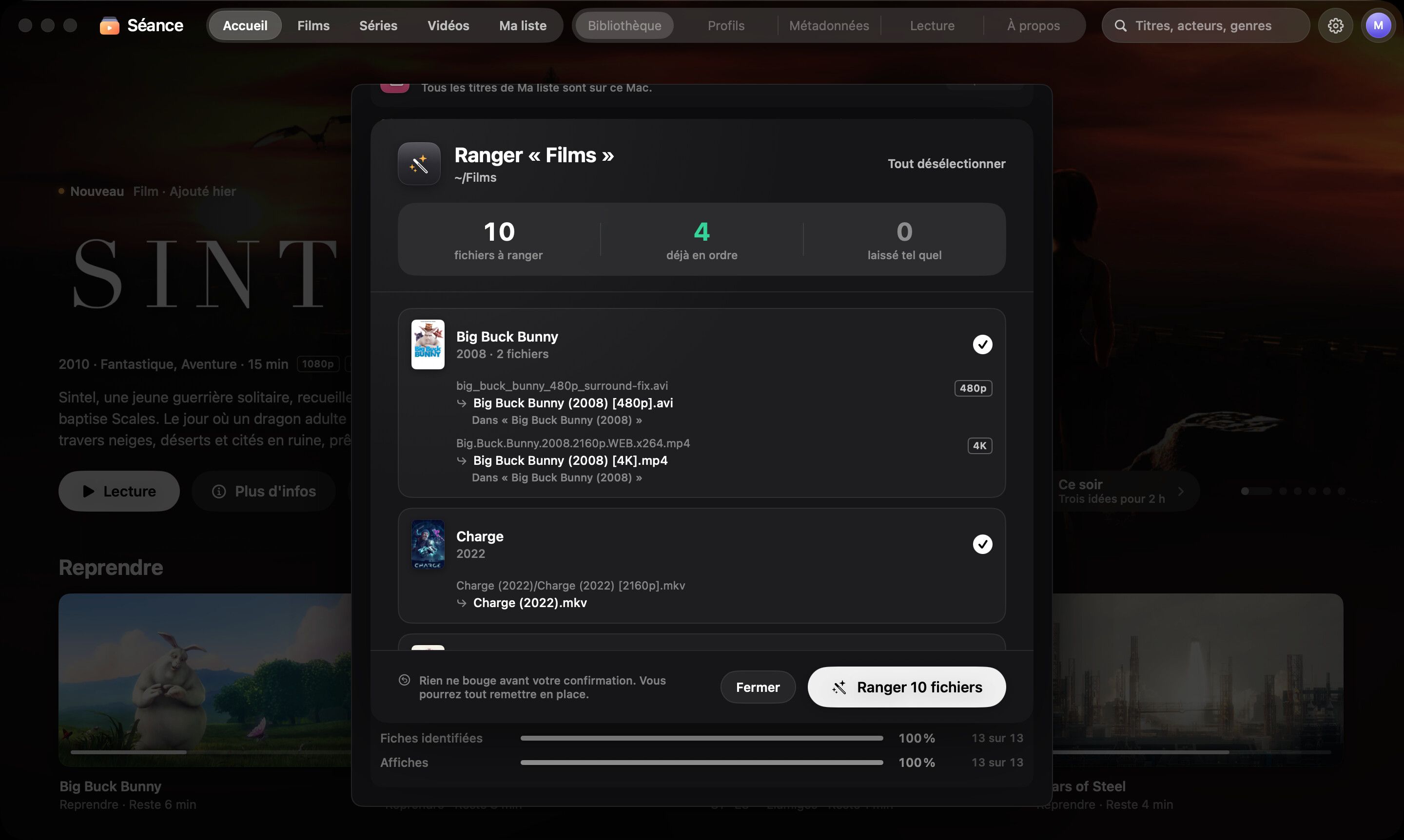
Séance takes care of tidying up too — carefully, with a preview and an Undo button.
-
“Tidy my files”
Renames and sorts your movies and series neatly, on the same drive. Before-and-after preview, then Undo if needed.
-
Duplicates
Duplicate versions are spotted, the best one to keep is suggested and the space to reclaim is shown. Séance never deletes anything.
-
“Bring to this Mac”
Copy a film, an episode or a season from an external drive, with a free-space check. Your progress follows.
Offline
Ready for an outage.
Séance was designed to work for weeks without a network. One panel tells you exactly where you stand — and one click fills every gap.
-
Readiness rings
Info, posters and backdrops, thumbnails: see at a glance what’s ready, with exact counts.
-
“Prepare everything”
One click fills in what’s missing while the internet is still there — info, artwork, thumbnails, intros — and can copy My List to your Mac.
-
Offline mode
One switch and Séance stops using the internet altogether. Everything already saved stays: playback, search, profiles, Apple Intelligence.
-
Every drive at a glance
Plugged in or not, titles, free space, last scan — and an alert for anything worth fixing while you still can.
-
Playable without an external drive
See how many titles live on this Mac, and copy what you’ll watch before you go.
-
Back online, on its own
Videos added without a connection play right away; their info and artwork arrive once the network is back.
Privacy
Your movies stay home.
No account, no ads, no tracking. Your files, history and profiles never leave your Mac.
-
No account
Nothing to create, nothing to remember.
-
No telemetry
No analytics, no advertising identifier, no background reports.
-
Public sources, nothing more
For information, Séance queries TMDB, TVMaze, iTunes, Wikidata and Wikipedia with titles and years — nothing else.
-
Sync across your Macs Coming soon
Progress and My List on all your Macs.

Your cinema awaits.
Try Séance free for 14 days with every feature. Then $10, once, forever.
macOS 26 or later · Mac with Apple silicon