











A library that organizes itself
Movies, series and family videos are recognized and sorted automatically. YouTube channel folders become series.
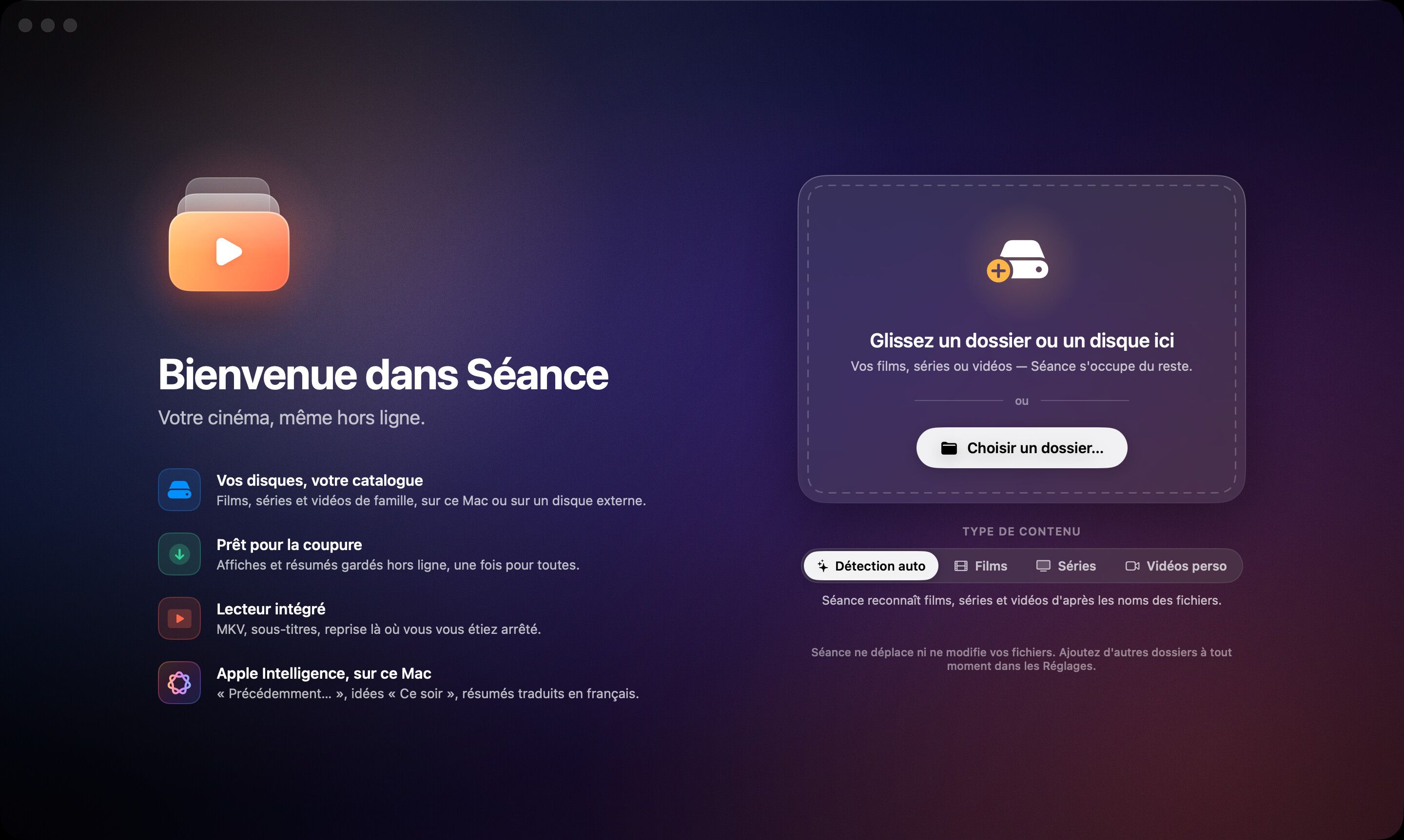
 New · For macOS 26
Séance turns the videos on your drives into a gorgeous library in the spirit of the Apple TV app. Posters, synopses, cast: fetched once, then everything works without the internet.
Then $10 once, forever. No subscription, no account. The app’s interface is in French.
How it works
From cryptic file names to a streaming-grade library, in minutes.
A folder, an external drive, a network share: Séance recognizes movies, series, seasons and episodes, even with the oddest names.
Posters, backdrops, synopses, cast and logos arrive once, then stay on your Mac.
Playback, search, suggestions: everything works offline, for as long as it takes.
Before: your folders
After: your cinema







Guided tour
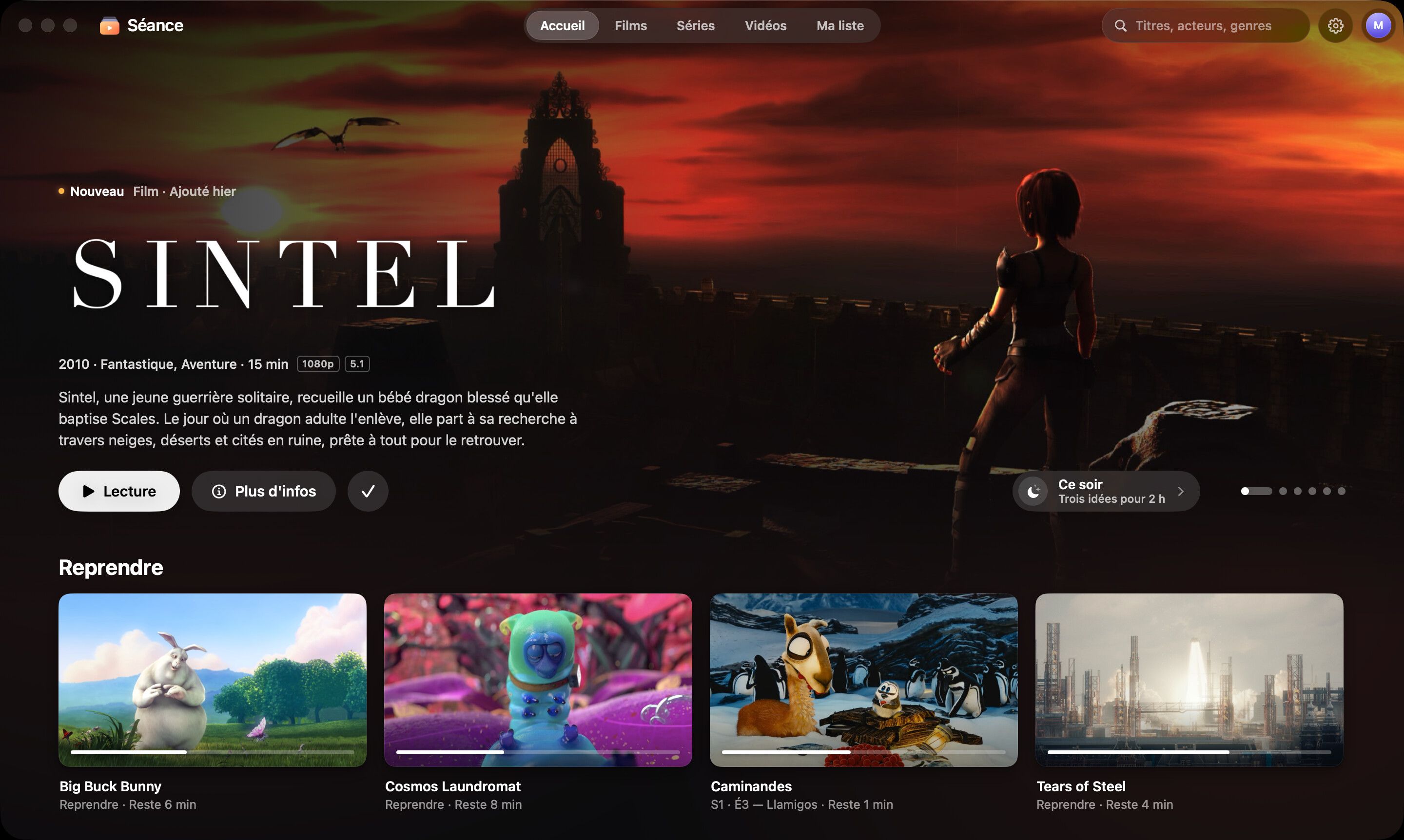
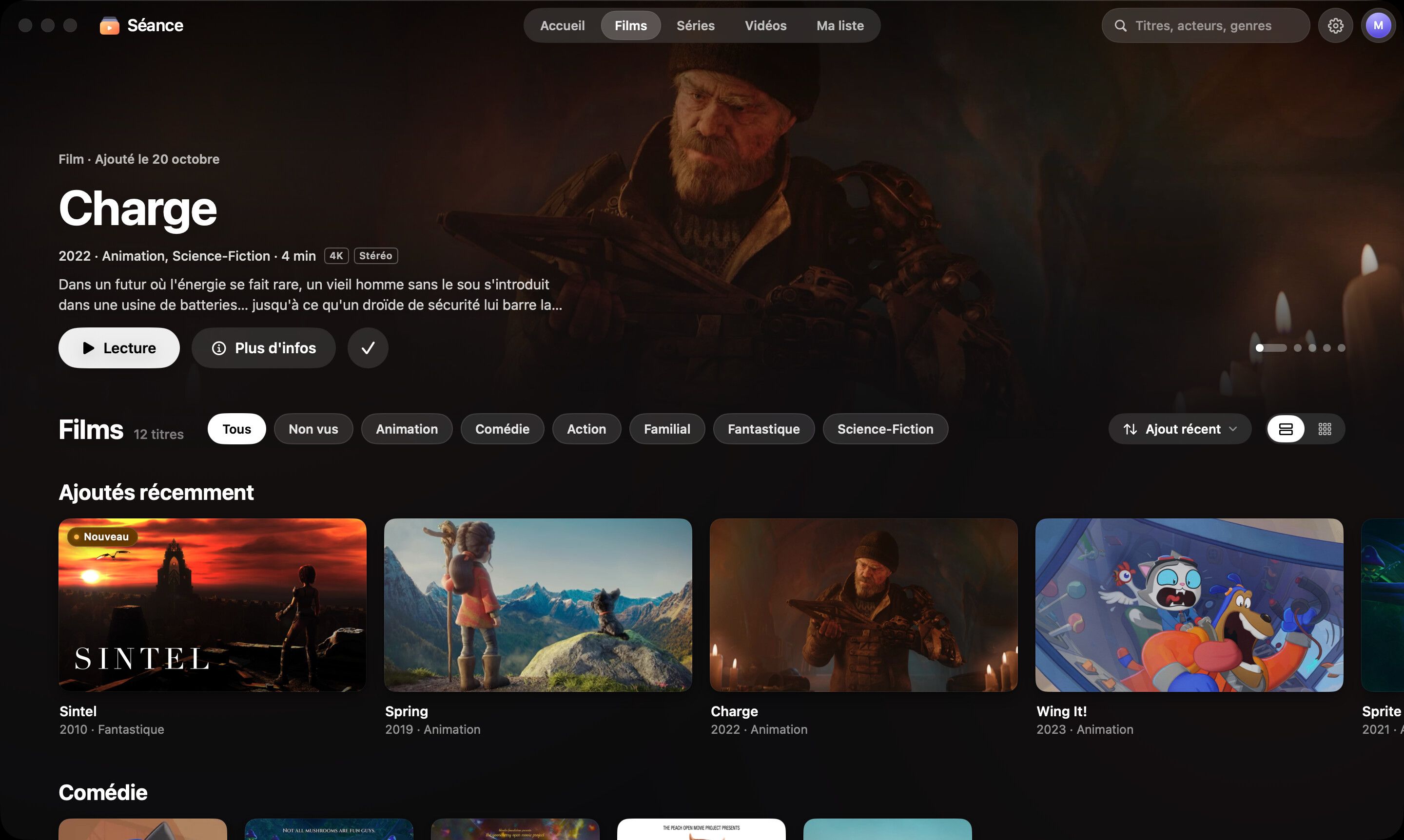
Movies, Series, Videos: a big featured title, glass filters, rows of posters. Your films have never looked this good.
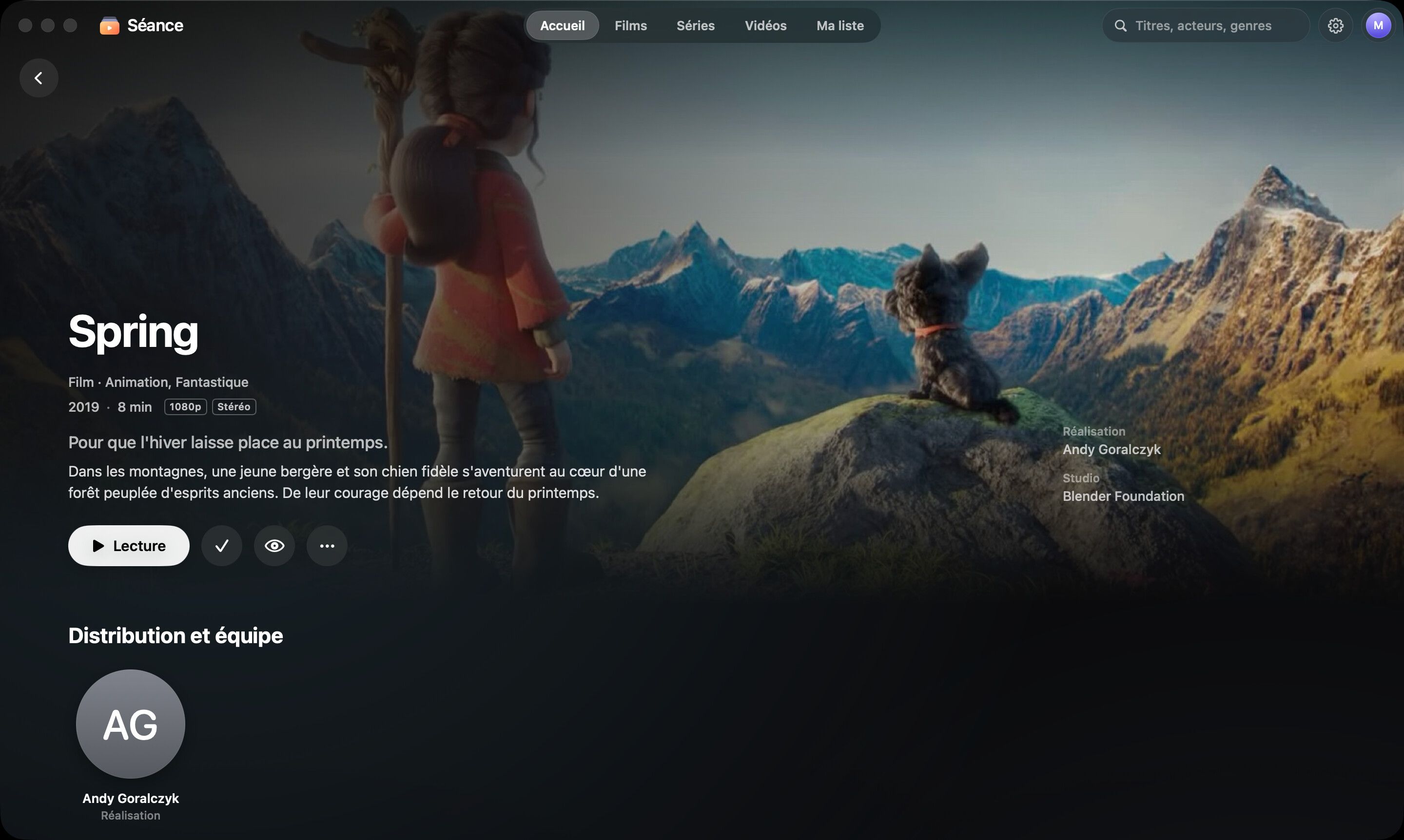
Full-bleed artwork, synopsis, cast, a muted video preview, and everything you need to know about the file.
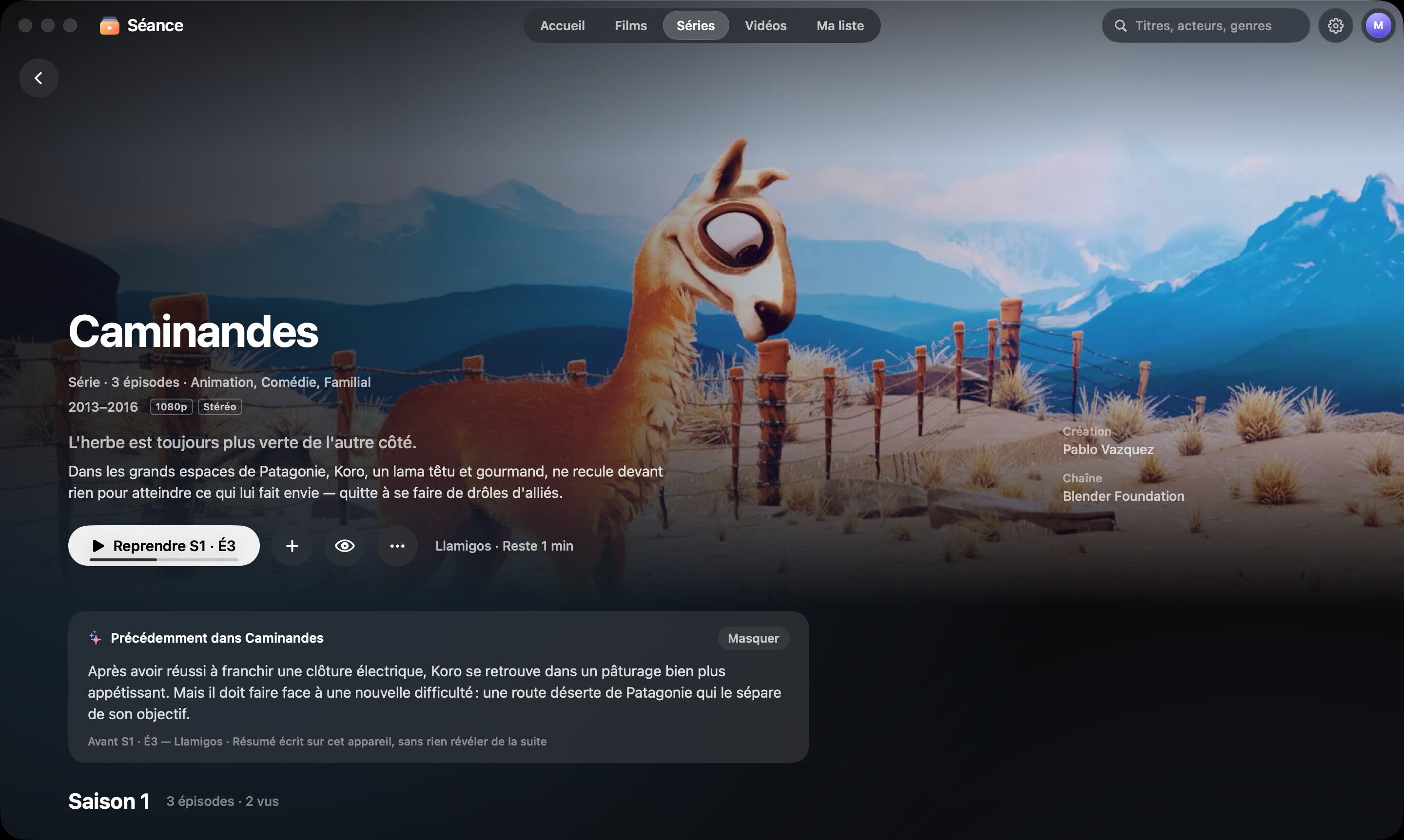
Seasons, episode thumbnails, progress, and “Previously…” to pick up the thread without spoilers.
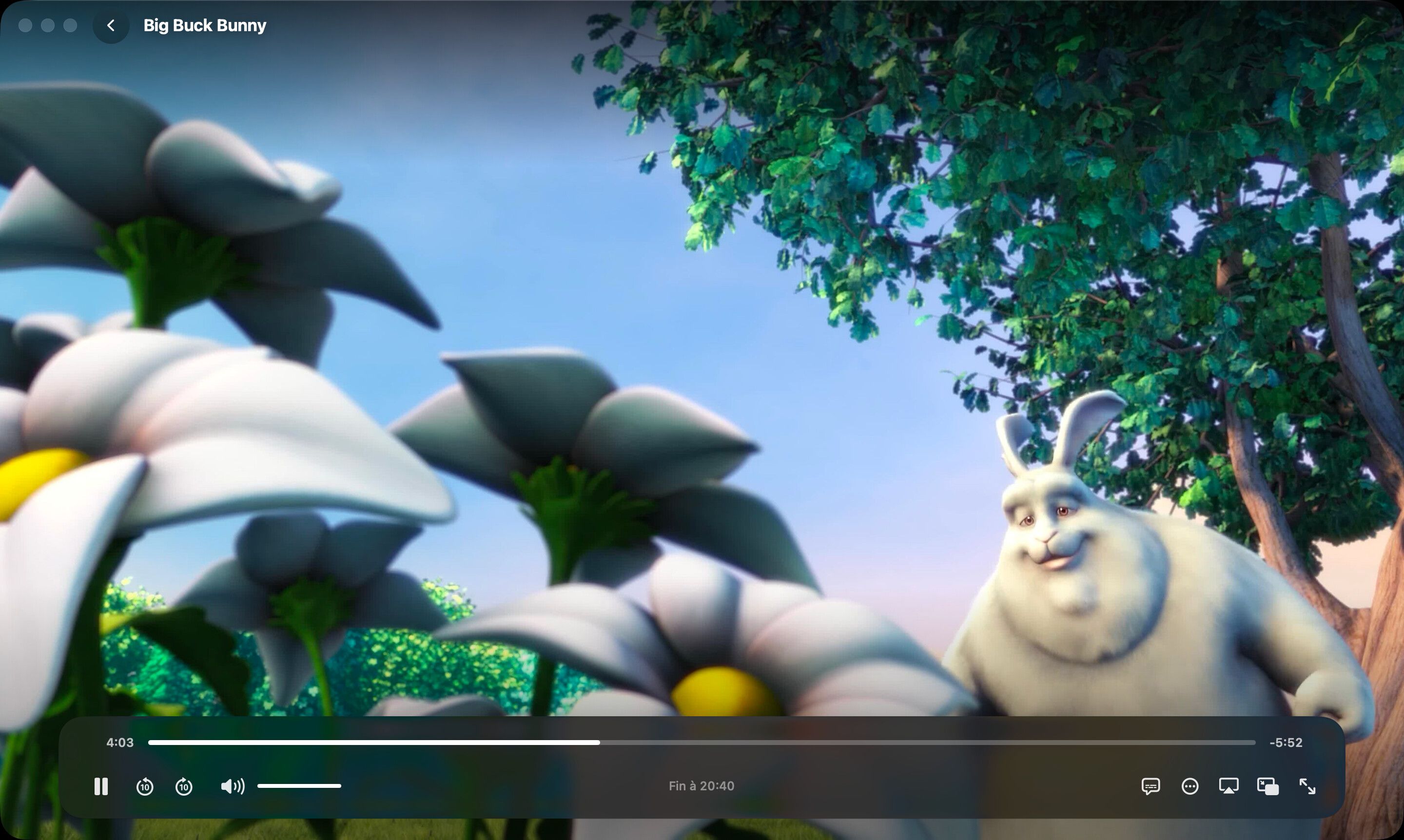
Glass controls that fade away, subtitles, Picture in Picture, AirPlay. And “Skip intro” when you need it.
Features
An app designed like a cinema screen: big images, depth, glass — and nothing in the way of the film.
Movies, series and family videos are recognized and sorted automatically. YouTube channel folders become series.
Posters, synopses and cast are downloaded once, then kept on your Mac.
MKV, AVI, TS and the rest, thanks to a built-in remux. Subtitles, Picture in Picture, AirPlay.
Skip intros and end credits, detected offline. Night mode for clear dialogue without waking the house. A sleep timer that stops at the end of the episode.
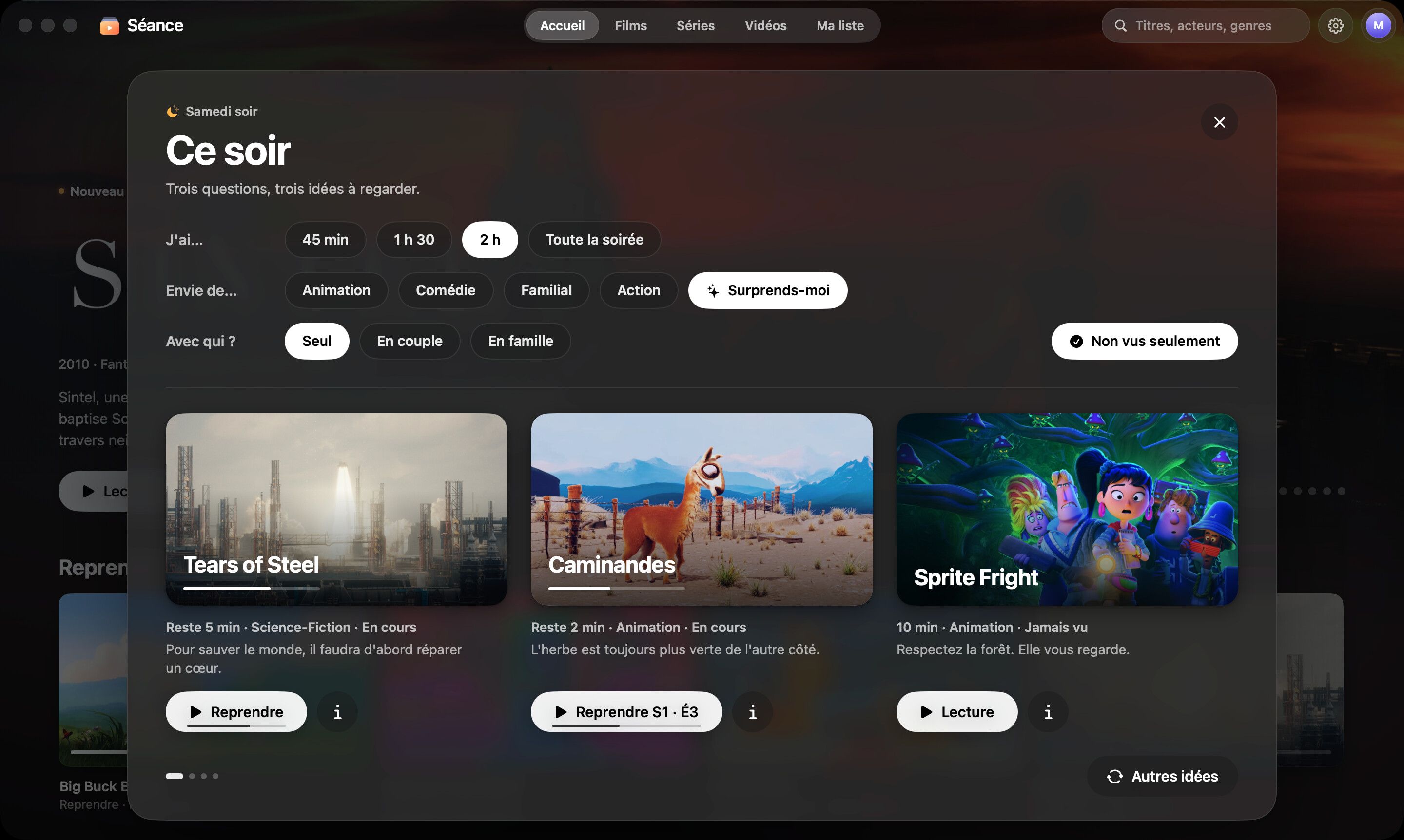
Three questions, three ideas. No more twenty minutes of scrolling.
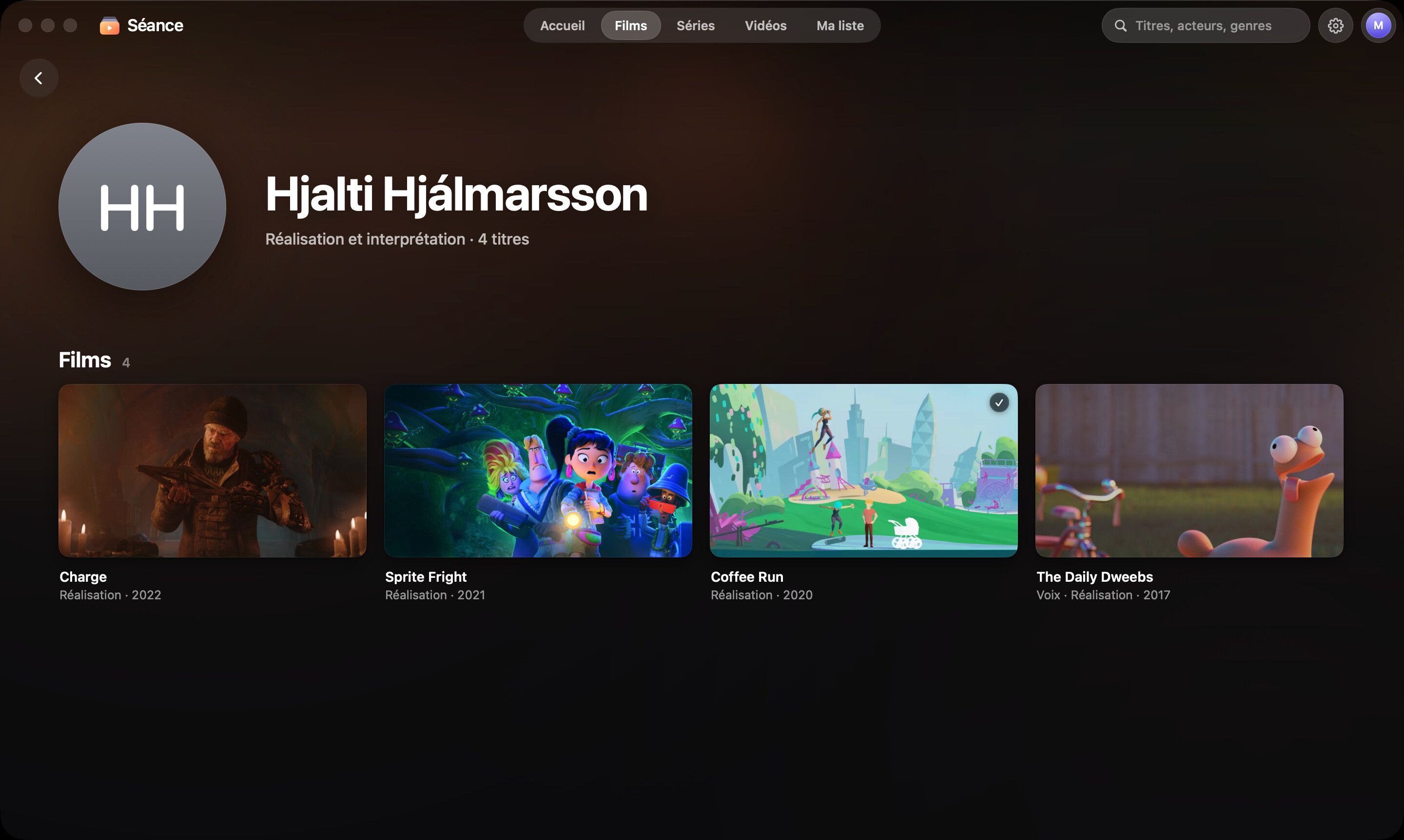
A page for every person and automatic collections: sagas, directors, decades, themes.
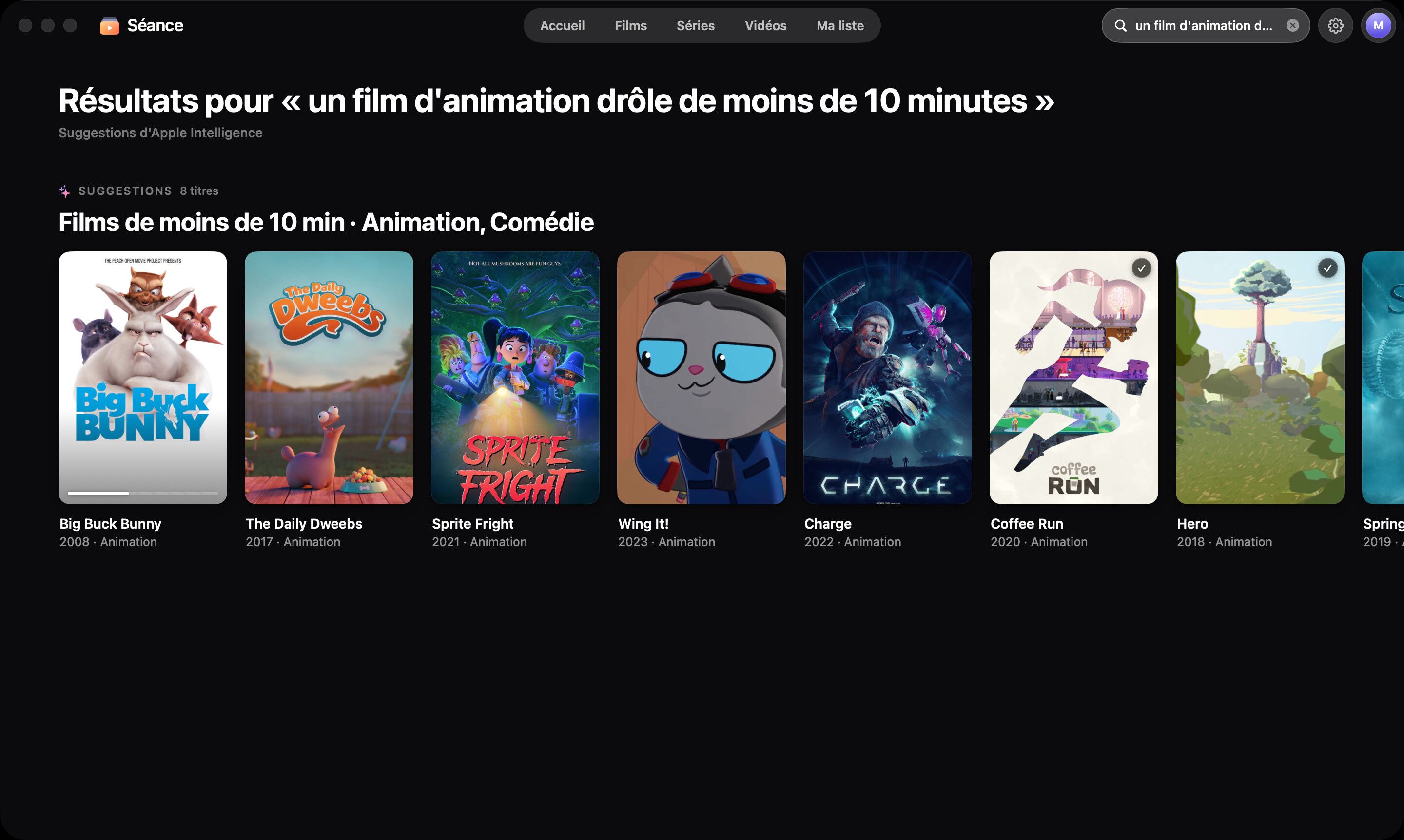
Type a request in plain French — “un film d’animation de moins d’une heure” — and Séance gets it.
“Previously…” recaps before each episode, synopses translated into French, smarter suggestions. Private by design.
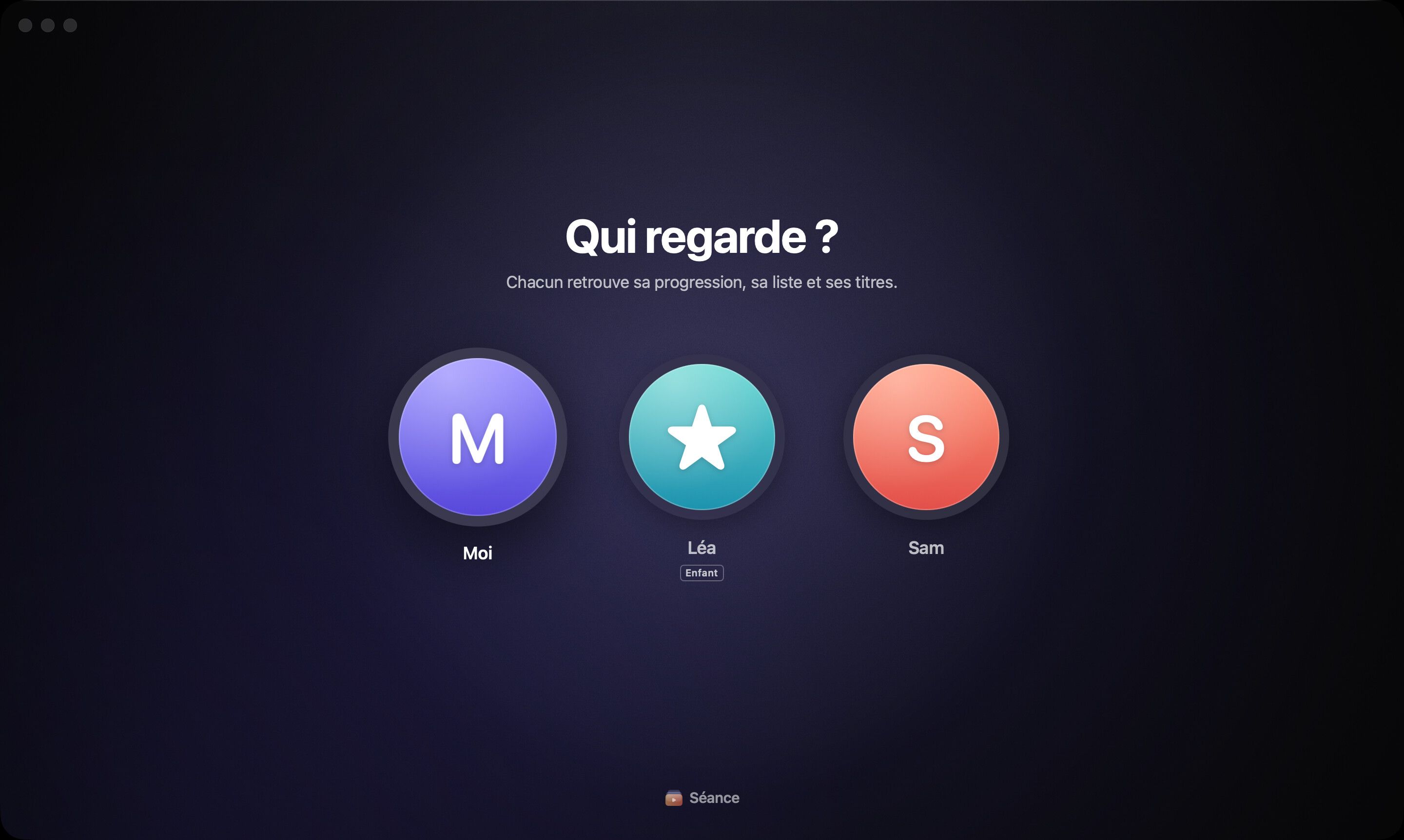
A profile for each person, with their own progress and list. And a kids mode that only shows what suits them.
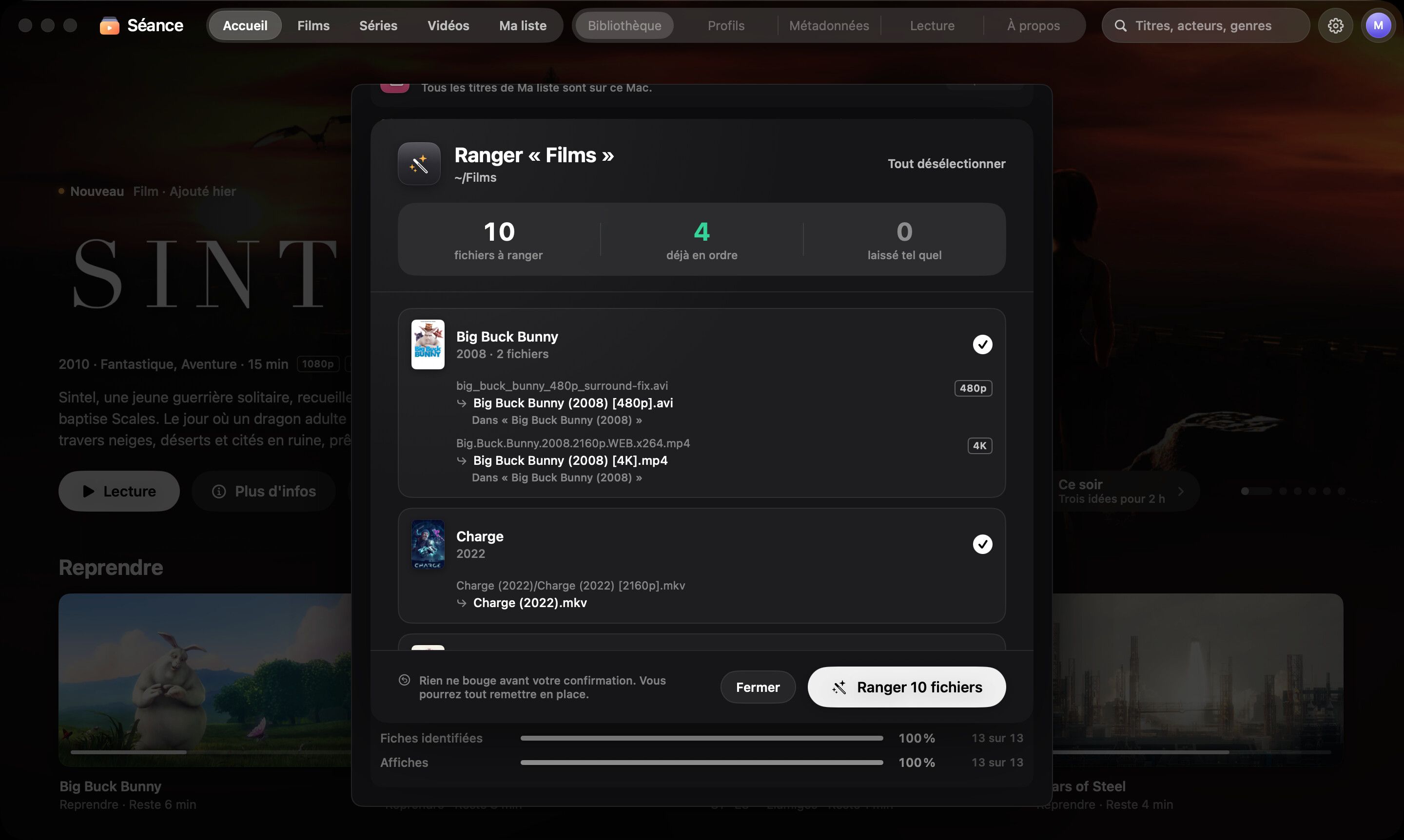
“Tidy my files” renames and sorts everything, with a before-and-after preview and an Undo button. Duplicates stand out at a glance.
Ready for an outage
Fiber cut, storm, a cabin with no signal, a long-haul flight: Séance was built for those moments. Everything it needs is already on your Mac.
Before
“Ready for an outage” checks info, posters, backdrops and thumbnails. One click on “Prepare everything” and nothing is missing.
During
Playback, search, profiles, suggestions and Apple Intelligence run on your Mac, with no connection at all.
On the road
“Bring to this Mac” copies a film or a season from your external drive. Your progress follows.
Privacy
No account, no ads, no tracking. Your files never leave your Mac.
Open the app, add a folder. That’s it.
No analytics, no telemetry, no advertising identifier.
To find information, only titles and years are sent to TMDB, TVMaze, iTunes, Wikidata and Wikipedia.
Apple Intelligence features are computed on your Mac.
Pricing
Less than a month of a streaming subscription — and Séance stays yours.
Lifetime license
One-time payment · Taxes may apply
14-day free trial with every feature. No credit card.
FAQ
No. Séance is not a streaming service: it organizes and plays the videos you already own, stored on your drives. No catalog is included.
Yes. The internet is only used to fetch information the first time. After that, everything lives on your Mac: browse, search, play, resume and get suggestions with no connection at all, for as long as you need.
Before a planned outage, the “Ready for an outage” panel checks that nothing is missing and fills any gaps in one click.
MP4, MOV and M4V play directly. MKV, AVI, TS, M2TS, WebM, WMV, MPEG, VOB and many more go through a built-in, on-the-fly remux: no conversion beforehand, no copies. Multiple audio tracks are supported, as are SRT subtitles, embedded or next to the file.
Every feature, for 14 days, with no credit card and no account. After that, a lifetime license unlocks Séance for good. Your videos and data stay untouched on your Mac.
You pay once, $10, and Séance is yours: no subscription, no renewal. Séance updates are included. Read the license agreement.
Nothing. No account, no analytics, no ads. Your files and your watch history stay on your Mac. To find information, Séance only sends titles and years to TMDB, TVMaze, iTunes, Wikidata and Wikipedia. Privacy policy.

Try Séance free for 14 days with every feature. Then $10, once, forever.
macOS 26 or later · Mac with Apple silicon